Coding task
- Goal
- Context
- Requirements
- Constraints
- Acceptance criteria
Notae turns a messy spoken thought into clean writing or a well-structured AI prompt, inserted right where you’re typing. Ready for ChatGPT, Claude, Cursor or Slack.
so the upload service should retry failed uploads, no wait, only the image uploads. Retry three times with exponential backoff and log each failure to Sentry. Don't touch the video uploads. It's done when the flaky network test passes
UploadService.Coding task, Bug report, Professional email… Change it any time; it’s applied when you stop.
Ramble, restart, correct yourself. Notae drops the ums and keeps what you finally meant.
Inserted where you’re typing, or copied and ready to paste. Undo is one tap away.
Notae rewrites what you said in the format you chose. It never answers your request or invents details, and keeps technical terms, file names and numbers exactly as you said them.
Your words, cleaned up
Same message, fewer words
Greeting, body, sign-off
Short and friendly
Just your words, tidied. No AI
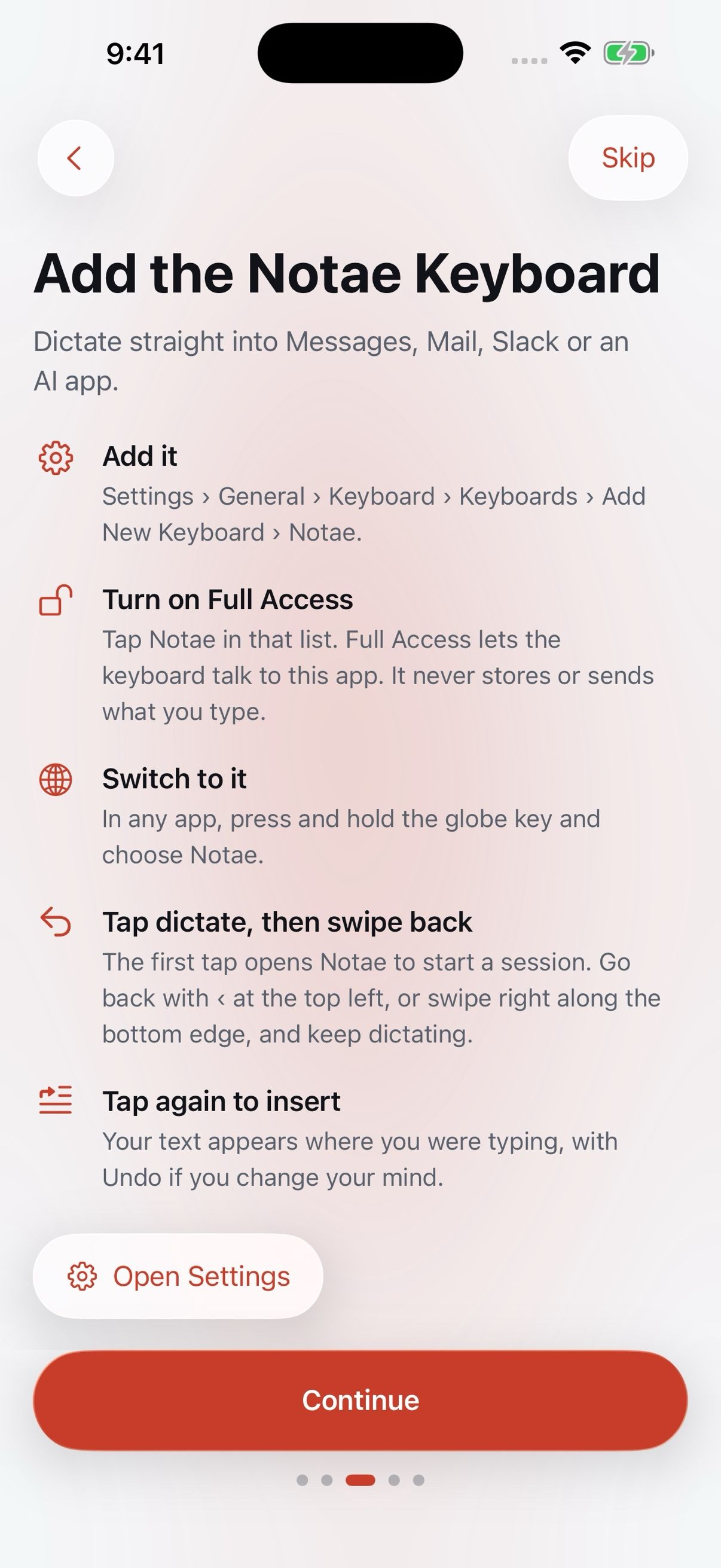
Dictate into Messages, Mail, Slack, Notes or any AI app. Tap the dictation button on, speak, tap off, and the text appears where you’re typing. Undo it, or swap in your raw words, with one tap.
It’s a full keyboard too, and typing works offline and without Full Access.
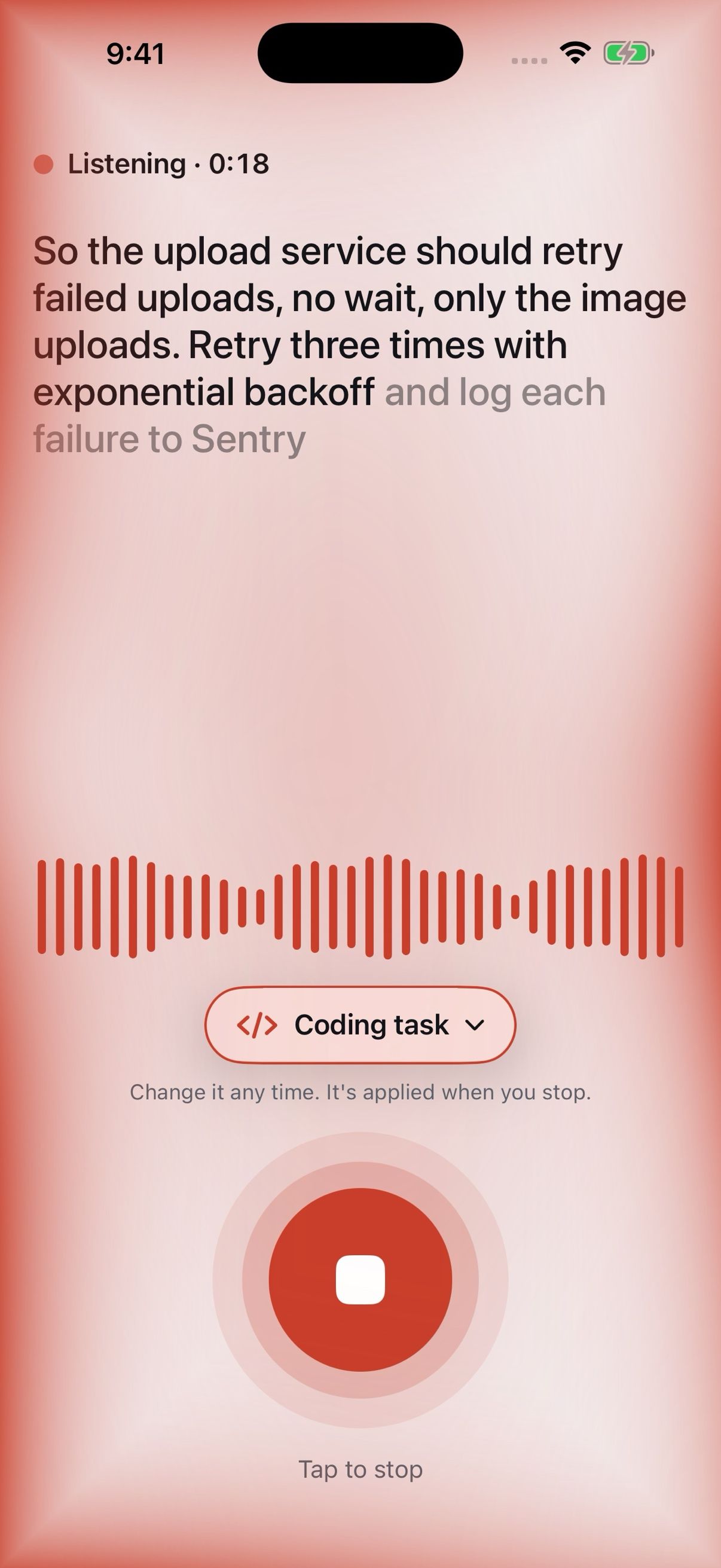
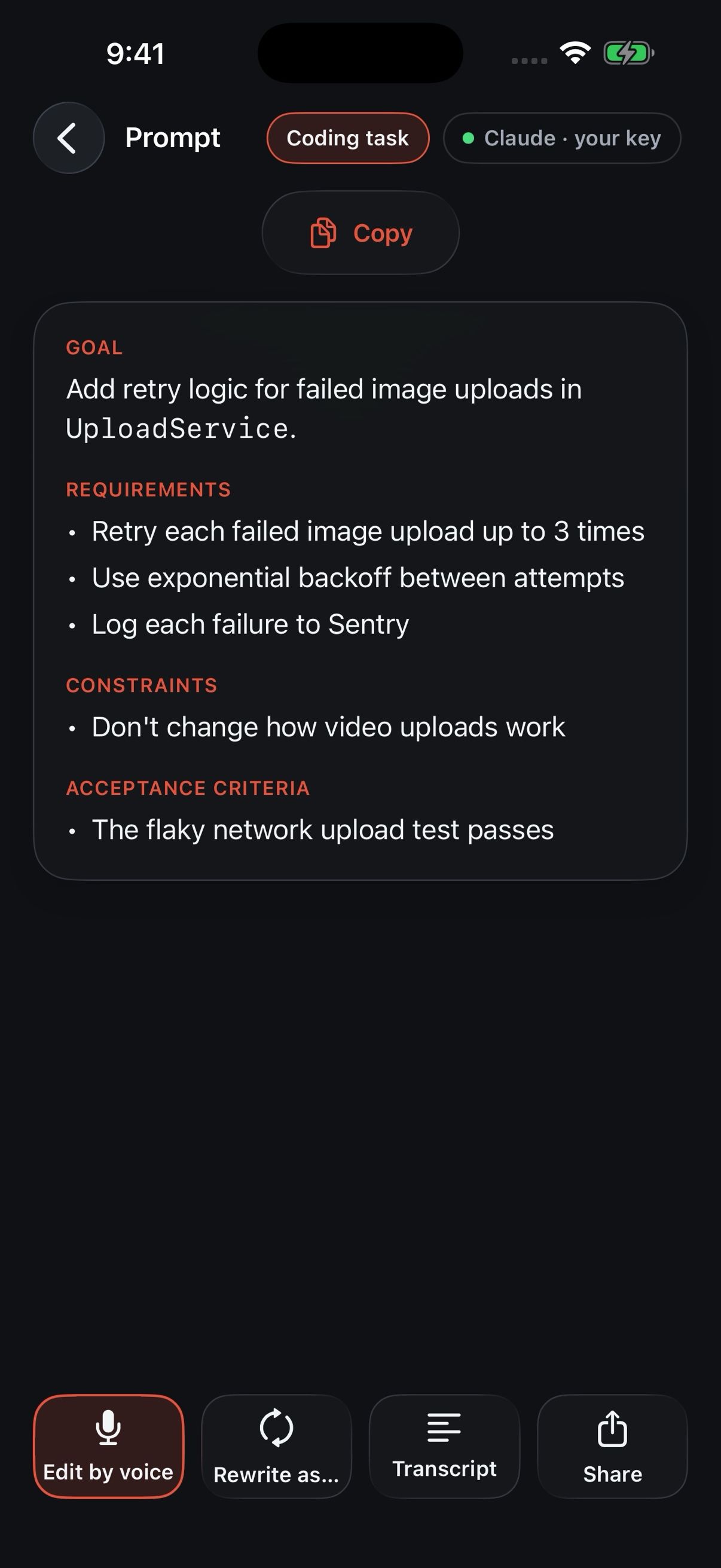
One big button. Watch your words appear as you speak, then see them become a structured prompt, copied and ready to paste. The result always shows which engine wrote it.
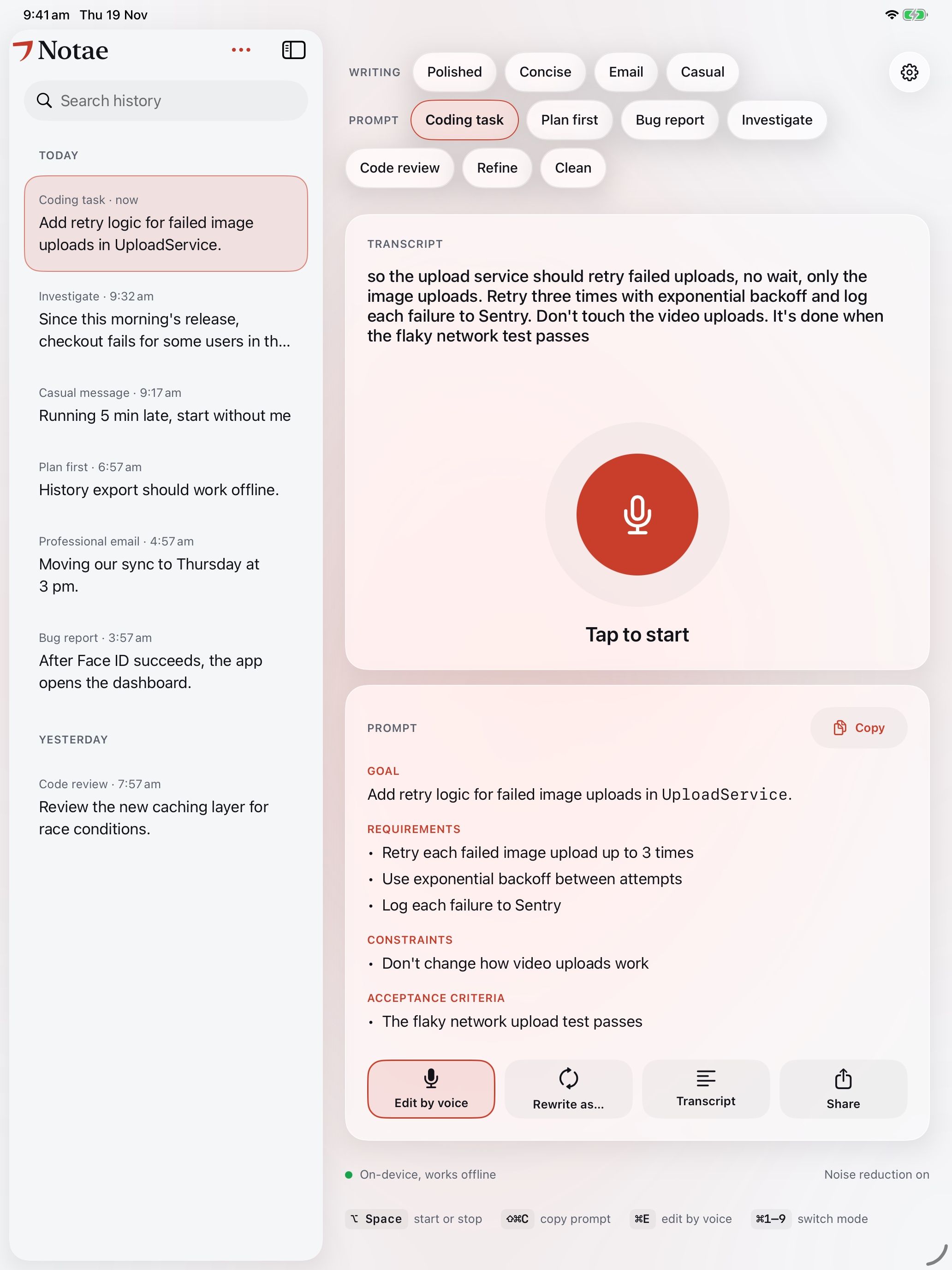
History on the left, recorder and prompt side by side. Works in any window size, with hardware keyboard shortcuts: ⌥ Space to start and stop, ⌘1–9 to switch mode.
Press ⌥ Space in any app, speak, press it again. The result is pasted at your cursor in Cursor, Slack, Safari or Notes, and your clipboard is put back afterwards.
Get Notae for MacSay “make it shorter” or “add that it must work offline”, and Notae revises the result.
Turn the same dictation into an email, a bug report or a plan without speaking again.
Teach Notae the names and terms it should spell right, and snippets that expand when you say them.
Control Center, the Action Button, Siri and Shortcuts. ⌥Space on the Mac.
Voice processing on by default, Voice Isolation one tap away, and hints when it’s too quiet.
Prefer Claude, OpenAI or ElevenLabs? Add your key and requests go straight from your device.
Transcription runs on your device and audio is never saved. On devices with Apple Intelligence, prompts are written on device too, and work offline.
Read the privacy policyEverything above is free. Pro will add hosted AI with no keys, sync across your devices and much more.
Everything you need to dictate clean text and prompts, private and on-device.
Top-quality results with no API keys, and your setup on every device.
Notae for engineering teams, managed by IT.
Notae is free on iPhone, iPad and Mac.